---
title: Exploring the App
description: Now, we will begin learning how the Vision 2.0 app interacts with your machine head to help you create beautiful stitches.
---
[Skip to content](https://knowledgebase.gammill.com/knowledge/exploring-the-app#main-content)
English
Show submenu for translations
[More support](https://knowledgebase.gammill.com/knowledge/kb-tickets/new?hsLang=en)

Open main navigation
Close main navigation
- English
Show submenu for translations
- [More support](https://knowledgebase.gammill.com/knowledge/kb-tickets/new)
How can we help you?
- There are no suggestions because the search field is empty.
1. [Help Center](https://knowledgebase.gammill.com/knowledge?hsLang=en)
2. [Hand Guided Machines](https://knowledgebase.gammill.com/knowledge/hand-guided-machines?hsLang=en)
3. [Vision 2.0](https://knowledgebase.gammill.com/knowledge/hand-guided-machines?hsLang=en#vision-2-0)
# Exploring the App
## Now, we will begin learning how the Vision 2.0 app interacts with your machine head to help you create beautiful stitches.
#### **Overview of the Vision 2.0 App Homescreen**
=The **Title Bar** contains the application title, key quilting features used for specialty functions. The **Top Ribbon** provides access to the menu, quilting modes and My Stitch™ presets. In the **Mode** Section, the active stitching mode is displayed along with access to stitching adjustments such as speed and stitches per inch along with related features such as starting and stopping stitching. The **Bottom Ribbon** accesses the My Stitch™ Buttons features.
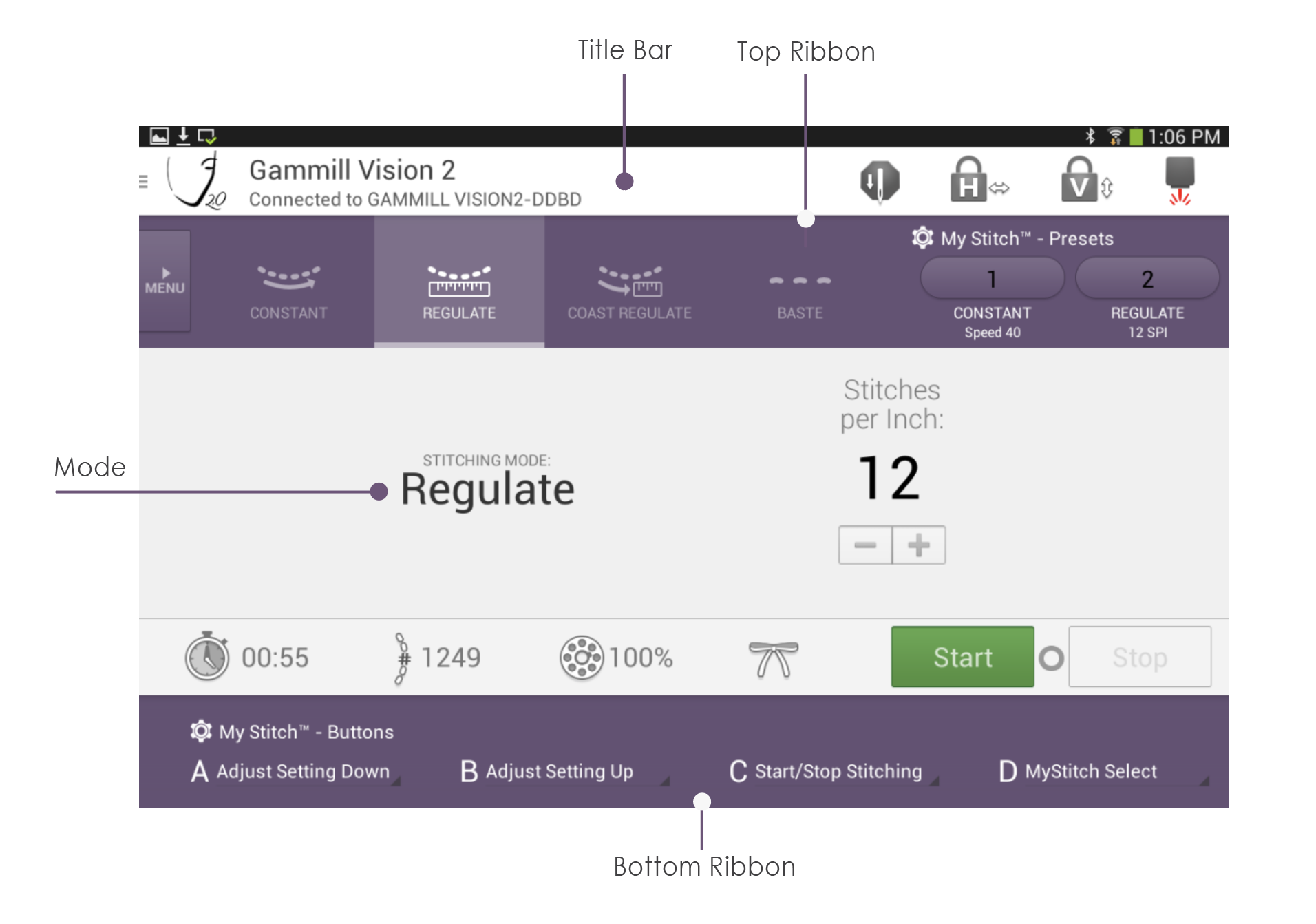
#### **Title Bar**
The **Title Bar** contains the application title, key quilting features used for specialty functions
| **Icon** | **Title Bar Feature** | **Definition** |
| --- | --- | --- |
|  | Menu Access | Accesses the menu options for specialized functions |
|  | Needle Position | Sets needle position when stitching stops to needle up or needle down |
|  | Horizontal Channel Lock | Locks the head to only move in the horizontal direction |
|  | Vertical Channel Lock | Locks the head to only move in the vertical direction |
|  | Laser | Turns the laser on or off |
**Top Ribbon**
The **Top Ribbon** provides access to the menu, quilting modes and My Stitch™ presets.
| Icon | Top Ribbon Feature | Definition |
| --- | --- | --- |
|  | Menu Tab | Accesses the menu options for specialized functions |
|  | Constant | Allows the constant stitching mode to be selected |
|  | Regulate | Allows the regulate stitching mode to be selected |
|  | Coast Regulate | Allows the coast regulate stitching mode to be selected |
|  | Baste | Allows the basting mode to be selected |
| 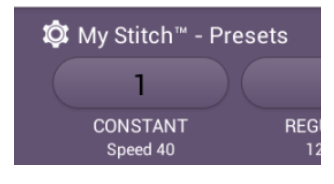 | My Stitch™ Presets 1 & 2 | Allows two modes and settings to be saved for easy access and for use by the My Stitch™ buttons. |
#### **Mode Section**
In the **Mode** Section, the active stitching mode is displayed along with access to stitching adjustments such as speed and stitches per inch along with related features such as starting and stopping stitching.
| Icon | Mode Feature | Definition |
| --- | --- | --- |
|  | Stitching Mode | Indicates the active stitching mode |
| 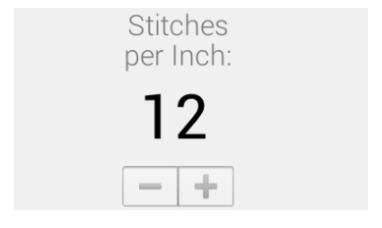 | Stitch Setting | Indicates the stitch setting and allows stitch adjustment |
|  | Stitch Timer | Tracks stitching time and is resettable |
|  | Stitch Counter | Tracks the stitch count and is resettable |
|  | Bobbin Gauge | Tracks the bobbin usage and alarms when the bobbin is low |
|  | Tie Off Function | Initiates a series of tiny locking stitches |
|  | Start Button | Starts stitching |
|  | Stop Button | Stops stitching |
#### **Bottom Ribbon**
The **Bottom Ribbon** accesses the My Stitch™ Buttons features. This allows you to program each of the four handle buttons to control your selected function. See the article on My Stitch Buttons for more information.

**Handle Button:**
Use the My Stitch™ feature to program any handle button to control stitch starting and stopping to match your needs. The Start/Stop Stitching control can be assigned to any of the four buttons, but one must be set to Start/ Stop Stitching. Press the handle button assigned to start/stop stitching to engage and disengage stitching.
Note: The machine will stop stitching on its own if it senses no movement for 10 seconds. This is a safety feature that cannot be disabled.
- [CreativeStudio](https://knowledgebase.gammill.com/knowledge/creativestudio?hsLang=en#main-content)
- [Introduction and Quick Start](https://knowledgebase.gammill.com/knowledge/creativestudio?hsLang=en#introduction-and-quick-start)
- [File, Edit, View Commands](https://knowledgebase.gammill.com/knowledge/creativestudio?hsLang=en#file-edit-view-commands)
- [Pattern Manager](https://knowledgebase.gammill.com/knowledge/creativestudio?hsLang=en#pattern-manager)
- [References](https://knowledgebase.gammill.com/knowledge/creativestudio?hsLang=en#references)
- [Draw Commands](https://knowledgebase.gammill.com/knowledge/creativestudio?hsLang=en#draw-commands)
- [Feature Commands](https://knowledgebase.gammill.com/knowledge/creativestudio?hsLang=en#feature-commands)
- [Pattern Commands](https://knowledgebase.gammill.com/knowledge/creativestudio?hsLang=en#pattern-commands)
- [Stitch Commands](https://knowledgebase.gammill.com/knowledge/creativestudio?hsLang=en#stitch-commands)
- [Help Commands](https://knowledgebase.gammill.com/knowledge/creativestudio?hsLang=en#help-commands)
- [Right-Click Menus](https://knowledgebase.gammill.com/knowledge/creativestudio?hsLang=en#right-click-menus)
- [Service Commands](https://knowledgebase.gammill.com/knowledge/creativestudio?hsLang=en#service-commands)
- [Pattern Manipulation](https://knowledgebase.gammill.com/knowledge/creativestudio?hsLang=en#pattern-manipulation)
- [Troubleshooting](https://knowledgebase.gammill.com/knowledge/creativestudio?hsLang=en#troubleshooting)
- [General Machine Care and Maintenance](https://knowledgebase.gammill.com/knowledge/general-machine-care-and-maintenance?hsLang=en#main-content)
- [Exploring the Table and Loading the Quilt](https://knowledgebase.gammill.com/knowledge/general-machine-care-and-maintenance?hsLang=en#exploring-the-table-and-loading-the-quilt)
- [Thread and Bobbins: Threading, tension, bobbin cases](https://knowledgebase.gammill.com/knowledge/general-machine-care-and-maintenance?hsLang=en#thread-and-bobbins-threading-tension-bobbin-cases)
- [Optional Equipment](https://knowledgebase.gammill.com/knowledge/general-machine-care-and-maintenance?hsLang=en#optional-equipment)
- [The Machine Head: Mechanics, Stitching and Troubleshooting](https://knowledgebase.gammill.com/knowledge/general-machine-care-and-maintenance?hsLang=en#the-machine-head-mechanics-stitching-and-troubleshooting)
- [Regular Maintenance & Care](https://knowledgebase.gammill.com/knowledge/general-machine-care-and-maintenance?hsLang=en#regular-maintenance-care)
- [Hand Guided Machines](https://knowledgebase.gammill.com/knowledge/hand-guided-machines?hsLang=en#main-content)
- [Vision 2.0](https://knowledgebase.gammill.com/knowledge/hand-guided-machines?hsLang=en#vision-2-0)
- [Older Models: Plus, Minus, Vision 1](https://knowledgebase.gammill.com/knowledge/hand-guided-machines?hsLang=en#older-models-plus-minus-vision-1)
- [Elevate](https://knowledgebase.gammill.com/knowledge/elevate?hsLang=en#main-content)
- [Elevate Troubleshooting](https://knowledgebase.gammill.com/knowledge/elevate?hsLang=en#elevate-troubleshooting)
- [Introduction and Software](https://knowledgebase.gammill.com/knowledge/elevate?hsLang=en#introduction-and-software)
- [Quick Start](https://knowledgebase.gammill.com/knowledge/elevate?hsLang=en#quick-start)
- [Elevate Projects](https://knowledgebase.gammill.com/knowledge/elevate?hsLang=en#elevate-projects)
[](http://www.gammill.com)
[mailto:email@email.com](mailto:email@email.com)
Copyright © 2026, Gammill, Inc.