---
title: Flip Horizontal, Flip Vertical and Mirror
description: Flip Horizontal, Flip Vertical, and Mirror Pattern are all used to reposition patterns
---
[Skip to content](https://knowledgebase.gammill.com/knowledge/flip-horizontal-vertical-and-mirror#main-content)
English
Show submenu for translations
[More support](https://knowledgebase.gammill.com/knowledge/kb-tickets/new?hsLang=en)

Open main navigation
Close main navigation
- English
Show submenu for translations
- [More support](https://knowledgebase.gammill.com/knowledge/kb-tickets/new)
How can we help you?
- There are no suggestions because the search field is empty.
1. [Help Center](https://knowledgebase.gammill.com/knowledge?hsLang=en)
2. [CreativeStudio](https://knowledgebase.gammill.com/knowledge/creativestudio?hsLang=en)
3. [Pattern Commands](https://knowledgebase.gammill.com/knowledge/creativestudio?hsLang=en#pattern-commands)
# Flip Horizontal, Flip Vertical and Mirror
## Flip Horizontal, Flip Vertical, and Mirror Pattern are all used to reposition patterns
Single patterns or groups of patterns can be flipped or mirrored on the CAD screen in CreativeStudio. With Flip Horizontal and Flip Vertical, the original design is flipped. If the original (as well as a copy) is desired, you must first make a copy of the design. In contrast, Mirror will automatically create a copy of the selected pattern(s) and place it on screen.
#### VIDEO | Flip Horizontal Vertical Pattern
### **Flip Horizontal**
| Select the original pattern (or group of patterns) on the CAD | 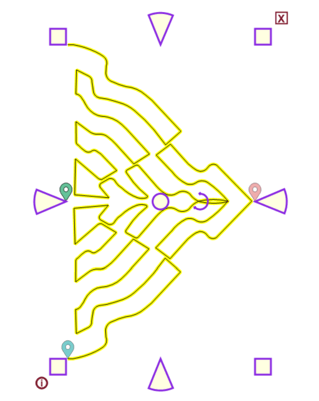 |
| --- | --- |
| Flip the pattern(s) using one of these methods: - Choose the Flip Horizontal icon - Right-click the pattern and choose Flip Horizontal - Choose Flip Horizontal from the Pattern dropdown menu - Use the keyboard shortcut which is the 'X' key on the keyboard |  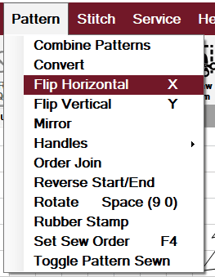 |
| The pattern will be flipped along the horizontal plane. If a group of patterns were originally selected, each design is still a separate pattern. | 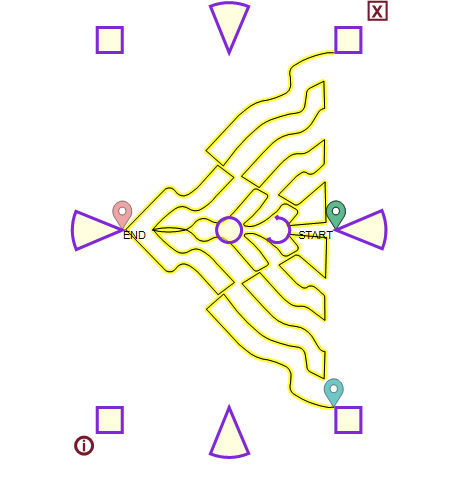 |
### **Flip Vertical**
| Select the original pattern (or group of patterns) on the CAD | 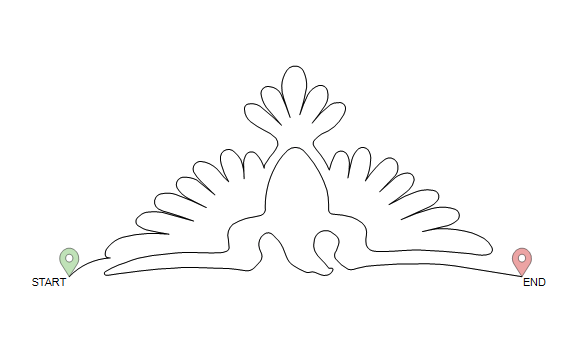 |
| --- | --- |
| Flip the pattern(s) using one of these methods: - Choose the Flip Horizontal icon - Right-click the pattern and choose Flip Horizontal - Choose Flip Horizontal from the Pattern dropdown menu - Use the keyboard shortcut which is the 'X' key on the keyboard |  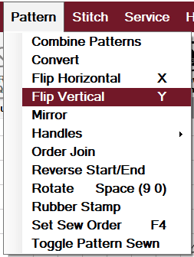 |
| The pattern will be flipped along the vertical plane. If a group of patterns were originally selected, each design is still a separate pattern | 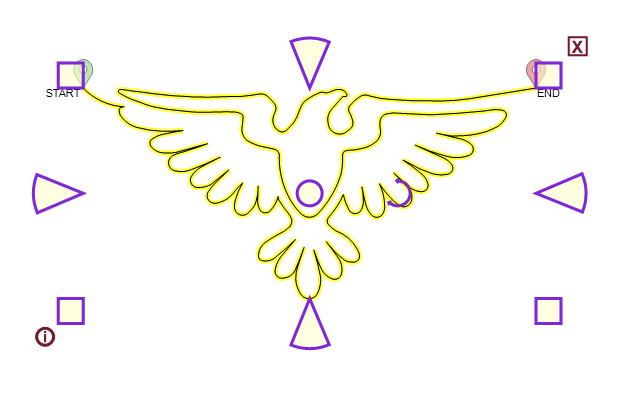 |
### Mirror
Mirror creates a mirror image of the pattern opposite the original design at a selected angle.
#### VIDEO | Mirror
| Select the original pattern (or group of patterns) on the CAD | 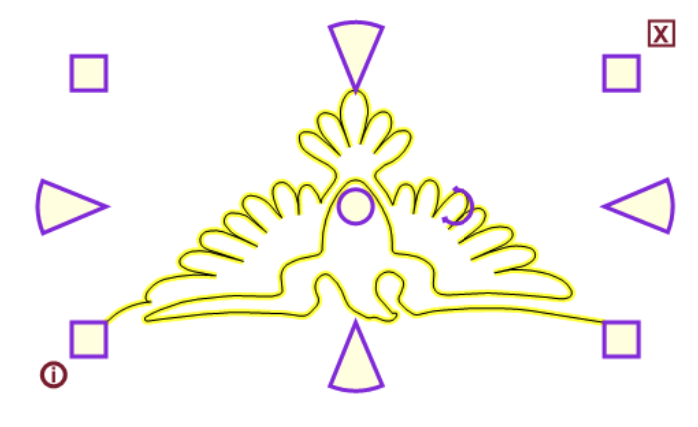 |
| --- | --- |
| Mirror the pattern(s) using one of these methods: - Choose the Mirror icon - Right-click the pattern and choose Mirror - Choose Mirror from the Pattern dropdown menu |  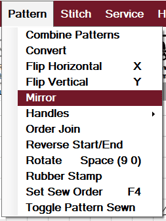 |
| CS prompts you to select two points to define the mirror line. The angle of the line and the distance it is from the original pattern will both affect where the mirrored pattern is placed. | 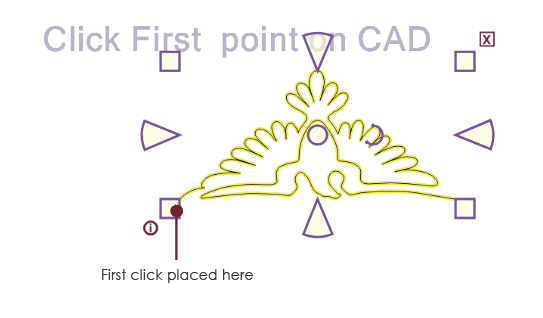 |
| After selecting the first point, you'll see a pink line extending from it to the cursor as you move to the second point. This is the line across which the pattern(s) will be mirrored. | 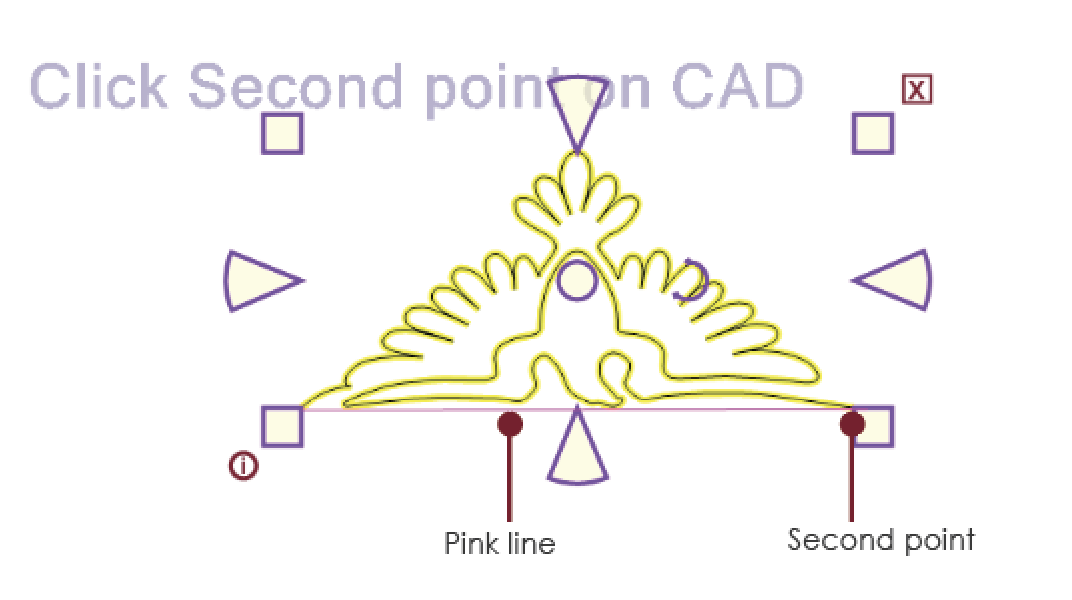 |
| This is the result of this mirror image example. | 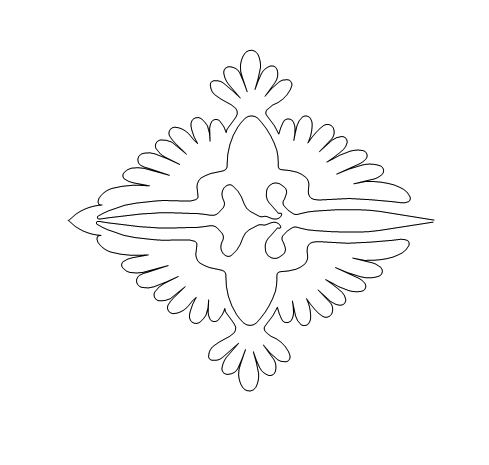 |
- [CreativeStudio](https://knowledgebase.gammill.com/knowledge/creativestudio?hsLang=en#main-content)
- [Introduction and Quick Start](https://knowledgebase.gammill.com/knowledge/creativestudio?hsLang=en#introduction-and-quick-start)
- [File, Edit, View Commands](https://knowledgebase.gammill.com/knowledge/creativestudio?hsLang=en#file-edit-view-commands)
- [Pattern Manager](https://knowledgebase.gammill.com/knowledge/creativestudio?hsLang=en#pattern-manager)
- [References](https://knowledgebase.gammill.com/knowledge/creativestudio?hsLang=en#references)
- [Draw Commands](https://knowledgebase.gammill.com/knowledge/creativestudio?hsLang=en#draw-commands)
- [Feature Commands](https://knowledgebase.gammill.com/knowledge/creativestudio?hsLang=en#feature-commands)
- [Pattern Commands](https://knowledgebase.gammill.com/knowledge/creativestudio?hsLang=en#pattern-commands)
- [Stitch Commands](https://knowledgebase.gammill.com/knowledge/creativestudio?hsLang=en#stitch-commands)
- [Help Commands](https://knowledgebase.gammill.com/knowledge/creativestudio?hsLang=en#help-commands)
- [Right-Click Menus](https://knowledgebase.gammill.com/knowledge/creativestudio?hsLang=en#right-click-menus)
- [Service Commands](https://knowledgebase.gammill.com/knowledge/creativestudio?hsLang=en#service-commands)
- [Pattern Manipulation](https://knowledgebase.gammill.com/knowledge/creativestudio?hsLang=en#pattern-manipulation)
- [Troubleshooting](https://knowledgebase.gammill.com/knowledge/creativestudio?hsLang=en#troubleshooting)
- [General Machine Care and Maintenance](https://knowledgebase.gammill.com/knowledge/general-machine-care-and-maintenance?hsLang=en#main-content)
- [Exploring the Table and Loading the Quilt](https://knowledgebase.gammill.com/knowledge/general-machine-care-and-maintenance?hsLang=en#exploring-the-table-and-loading-the-quilt)
- [Thread and Bobbins: Threading, tension, bobbin cases](https://knowledgebase.gammill.com/knowledge/general-machine-care-and-maintenance?hsLang=en#thread-and-bobbins-threading-tension-bobbin-cases)
- [Optional Equipment](https://knowledgebase.gammill.com/knowledge/general-machine-care-and-maintenance?hsLang=en#optional-equipment)
- [The Machine Head: Mechanics, Stitching and Troubleshooting](https://knowledgebase.gammill.com/knowledge/general-machine-care-and-maintenance?hsLang=en#the-machine-head-mechanics-stitching-and-troubleshooting)
- [Regular Maintenance & Care](https://knowledgebase.gammill.com/knowledge/general-machine-care-and-maintenance?hsLang=en#regular-maintenance-care)
- [Hand Guided Machines](https://knowledgebase.gammill.com/knowledge/hand-guided-machines?hsLang=en#main-content)
- [Vision 2.0](https://knowledgebase.gammill.com/knowledge/hand-guided-machines?hsLang=en#vision-2-0)
- [Older Models: Plus, Minus, Vision 1](https://knowledgebase.gammill.com/knowledge/hand-guided-machines?hsLang=en#older-models-plus-minus-vision-1)
- [Elevate](https://knowledgebase.gammill.com/knowledge/elevate?hsLang=en#main-content)
- [Elevate Troubleshooting](https://knowledgebase.gammill.com/knowledge/elevate?hsLang=en#elevate-troubleshooting)
- [Introduction and Software](https://knowledgebase.gammill.com/knowledge/elevate?hsLang=en#introduction-and-software)
- [Quick Start](https://knowledgebase.gammill.com/knowledge/elevate?hsLang=en#quick-start)
- [Elevate Projects](https://knowledgebase.gammill.com/knowledge/elevate?hsLang=en#elevate-projects)
[](http://www.gammill.com)
[mailto:email@email.com](mailto:email@email.com)
Copyright © 2026, Gammill, Inc.